Ditching OpenCode for Pi: What a Year of Feature Bloat Taught Me
May 17, 2026 · 6 min read
I spent most of 2025 living inside OpenCode. It made sense at the time. It was fast, polished, and had a feature for everything—plan mode, sub-agents, LSP integration, MCP support, even a desktop app in beta. I could plug in basically any LLM provider, share sessions through the web UI, and step away from the terminal whenever I wanted.
For months, I told myself this was the future. One tool that does it all. But my opencoderc config kept growing. 80 lines, then 120, then past 200. Every update added something I hadn't asked for. The system prompt ballooned. I was using maybe twenty percent of what was on offer, and the rest sat there, taking up space I didn't have the energy to evaluate.
It reminded me of something I'd written a few months earlier about speculative generality—the trap of building for futures that never arrive. OpenCode isn't bloated by accident; it's ambitious by design. The problem was that its ambition had stopped matching mine.
Finding Pi
I came across Pi through a blog post by Mario Zechner where he described building an opinionated, minimal coding agent. One line stuck with me: "If I don't need it, it won't be built."
After months of watching updates add features I never touched, that hit differently.
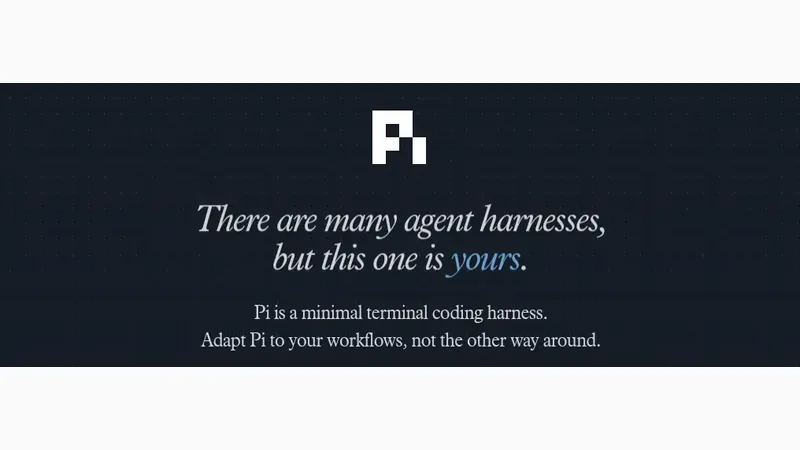
Pi is a TypeScript CLI on Bun, built as a monorepo of small packages: pi-ai for LLM abstraction, pi-tui for the interface, pi-agent-core for tool calling and state, and the CLI itself. But the architecture isn't the selling point. The selling point is what isn't there.
No MCP out of the box. No sub-agents. No permission popups. No desktop app, no web UI, no IDE extension. Just a prompt, a stream, and a handful of basic tools—read, write, edit, bash, grep, find, ls. The rest is up to you.
The other difference you notice immediately: Pi is an actual TUI. Proper terminal rendering, native text buffers, no React-based UI layer pretending to be a terminal. OpenCode uses Ink (React for CLIs) under the hood, which gives it a browser-in-a-terminal feel—scrolling that never quite tracks right, keybinds that lag, that uncanny valley of a web view wearing a terminal costume. Pi feels native because it is. It's the kind of thing you don't realise matters until you spend a full day in each.
At first glance, that looks like a downgrade. It took me a while to realise the framing was wrong. Pi doesn't lack features; it refuses to decide for you. If you want MCP, you write a TypeScript extension or wrap a CLI tool as a skill. If you want sub-agents, you spawn another tmux pane or build an orchestrator. The extension API hooks into events, renders custom UI components, replaces built-in tools, adds slash commands—whatever you need, in the same language you already write.
Your extensions live in .pi/extensions/ as plain TypeScript files. No plugin framework, no ceremony, just code that runs in the same runtime as the agent itself.
The First Week
Switching hurt more than I expected.
I had grown used to LSP diagnostics appearing automatically, to sessions saved in a searchable SQLite database, to visual file tracking that showed exactly what changed. I missed the desktop app when I wanted to work away from the terminal. These weren't luxuries; they were habits, and losing them felt like switching to a new keyboard with the keys rearranged.
But somewhere around day four, I noticed something else. I could read Pi's entire system prompt in one screen. Every tool call was explicit. Context window usage sat in the footer, updating live. Nothing happened behind a curtain.
That transparency mattered more than I thought it would. When OpenCode misbehaved, I had to guess whether it was the model, the prompt, or some hidden middleware. With Pi, the surface area is small enough that I can usually see the failure point immediately.
The other surprise was cross-provider handoff. Pi's pi-ai package lets me start a session with Claude, switch to GPT-5.1 for boilerplate, then hand off to Gemini for review, all without losing context. I'd assumed that would be a gimmick, but different models really do excel at different tasks. Claude reasons better through architecture; Codex is faster at grunt work; Gemini catches edge cases I miss. Being able to route between them without starting over changed how I work.
What I Actually Built
By the end of the first month, I'd rebuilt the parts of OpenCode I actually used. A custom skill for project-specific scaffolding. A prompt template for code review. A theme that matches my terminal colours. Three files in a .pi/ directory, none of them longer than forty lines.
Every line exists because I put it there. Not because a vendor decided it should be a default. That sounds like a small thing, but it isn't. It changes the relationship between you and your tools. You stop accepting what you're given and start thinking about what you actually need.
The session model helped too. Pi stores history as JSONL with id and parentId fields, which means sessions branch in place. I can use /tree to jump back to any point and continue from there, and compaction keeps older messages summarised so long-running sessions don't burn tokens. It's not flashy, and I wouldn't have missed it before trying it. Now I'd struggle to go back to a flat conversation log.
Should You Switch?
Probably not, if you're happy.
OpenCode is genuinely impressive. It has 161k GitHub stars, millions of downloads, and a team shipping at speed. If you want a feature-rich agent with a desktop app, web UI, IDE extension, and deep LSP integration, it's the obvious choice. I don't regret the year I spent with it.
But if you've found yourself staring at a config file you no longer fully understand, or using a fraction of what your tool offers while the rest sits there unused, Pi is worth a look. It asks more of you upfront. The first week is slower. You will miss things you took for granted.
The tradeoff is control. Pi gives you the core loop—prompt, stream, tool call, repeat—and steps aside. What you build on top of it is yours, shaped to your hand rather than adapted from someone else's defaults.
When I notice how many of my tools are racing toward more features, more integrations, more "intelligence," I appreciate the one that stopped early and said: the rest is up to you.
If you compare terminal-agent setups too, drop me a note.
P.S. If you want to try Pi, npm install -g @earendil-works/pi-coding-agent. The extensions docs and skills guide are worth reading even if you don't switch—good inspiration for thinking about composable tools in general.