The Full-Stack Edge: Architecting for Scale and Speed with Next.js, D1, and R2
January 3, 2026 · 4 min read
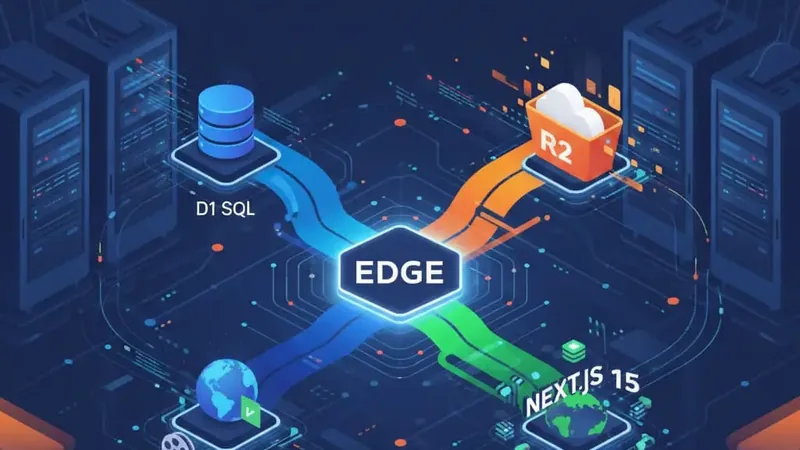
In my previous post, I talked about why I abandoned the "Vercel Cocoon" for the raw power and cost-efficiency of Cloudflare. But switching platforms is only half the battle. The real challenge—and the real opportunity—lies in how we architect applications to thrive in a distributed, edge-first environment.
As I look toward building the SaaS ideas I mentioned recently, specifically a localized Italian LMS, I've had to rethink how I handle data, assets, and compute. The "Ship Fast" mentality of 2026 isn't about cutting corners; it's about choosing a stack that stays out of your way and scales linearly without a "success tax."
Today, we're diving into the technical blueprint for a production-grade Full-Stack Edge application.
1. The Persistence Layer: SQL at the Edge with D1
For years, the "edge" was synonymous with "stateless." If you needed a database, you had to reach back to a centralized region (like AWS us-east-1), introducing the very latency the edge was meant to solve.
Cloudflare D1 changes this. It's a native SQL database (built on SQLite) that runs directly on the Cloudflare network.
The Migration Workflow
Unlike traditional PostgreSQL setups, D1 requires a more manual approach to migrations, which actually forces better discipline. In your wrangler.toml:
[[d1_databases]]
binding = "DB"
database_name = "prod-db"
database_id = "your-database-id-here"
migrations_dir = "migrations"
To create a migration for our LMS (e.g., a users and courses table):
This creates a SQL file in your migrations directory. It's clean, version-controlled, and transparent.
The Edge Client
In Next.js 15, we can leverage the CloudflareEnv to access our DB binding. Here’s a robust way to wrap your database calls:
// lib/db.ts
By keeping queries close to the user, we achieve sub-50ms response times for data-heavy operations.
2. Media Strategy: R2 and Stream for High-Octane Assets
Building an LMS or any media-heavy SaaS means wrestling with egress fees. Vercel Blob is great for convenience, but as I noted in my cost comparison, it can become a bottleneck.
Cloudflare R2 is S3-compatible, has zero egress fees, and integrates perfectly with Workers.
Implementation for User Uploads
When a creator uploads a course video, we don't want to pipe that through our main server. Instead, we use Presigned URLs:
// app/api/upload/route.ts
The client uploads directly to R2. No compute wasted, no egress fees paid. For video specifically, I'm looking at Cloudflare Stream, which handles the complex transcoding needed for smooth playback across different bandwidths.
3. The Localization Secret: Geo-IP Routing
One of my core SaaS philosophies for 2026 is Localization. If I'm building for the Italian market, I want the experience to feel local from the first byte.
Vercel's middleware is powerful, but Cloudflare's edge location data is unsurpassed. We can use the cf object in our middleware to perform instant, region-aware routing:
// middleware.ts
This isn't just about language; it's about compliance (GDPR/Qualiopi) and localized marketing triggers handled at the edge before the page even begins to render.
4. Conscious AI: Workers AI vs. External APIs
Our use of AI needs to be more conscious. Technically, this means avoiding "AI Bloat" where we fire off a dozen LLM calls that make our UI feel sluggish and "numb."
The solution is Edge-Streaming. By using Workers AI directly on Cloudflare, we avoid the round-trip to OpenAI's servers.
// Using Cloudflare Workers AI for instant localized content generation
const response = await env..;
By keeping the AI compute on the same network as our database and assets, we maintain that "snappy" feeling that differentiates a premium product from a generic wrapper.
Conclusion: The New "Standard"
The technical landscape is shifting. The days of "throwing it on a monolith and hoping for the best" are over for anyone serious about margins.
By combining Next.js 15 for UI logic, D1 for state, and R2 for assets—all living on the Cloudflare Edge—we aren't just building a faster app. We're building a more sustainable business.
This is the stack I'll be using for my Italian LMS project. It respects the user's time (speed), the creator's wallet (no egress), and my own peace of mind (predictability).
If you're building on the edge and get stuck on migrations or R2 performance, email me.